
 English

Run on Android
Building a Crosswalk Android application with extensions is almost identical to building any other Crosswalk Android application, and uses the same make_apk.py script (see the Run on Android documentation). The main difference is that an additional --extensions option is required, to instruct the script where to find extension directories.
Create the Android packages
To make Android packages for your project, do the following:
Build the extension, as described previously. This will create the
xwalk-echo-extension/directory with the extension files inside.After the build, the extension project directory (
xwalk-echo-extension-src/) will contain alib/crosswalk-${XWALK-STABLE-ANDROID-X86}directory, which is an unpacked Crosswalk Android distribution. You can use the scripts in here to build the Android packages.Follow the system setup page to installed the Android SDK. Then use these commands to create the packages:
Set an environment variable to the location of the project
> PROJECT_DIR=~/<my projects directory>/xwalk-echo-projectEnter the unpacked Crosswalk Android directory
> cd $PROJECT_DIR/xwalk-echo-extension-src/lib/crosswalk-${XWALK-STABLE-ANDROID-X86}Invoke the package builder
  > python make_apk.py --package=org.crosswalkproject.example \
    --enable-remote-debugging --fullscreen \
    --manifest=$PROJECT_DIR/xwalk-echo-app/manifest.json \
    --extensions=$PROJECT_DIR/xwalk-echo-extension-src/xwalk-echo-extension/
The generated packages are in the
~/<my projects directory>/xwalk-echo-project/xwalk-echo-extension-src/lib/crosswalk-${XWALK-STABLE-ANDROID-X86}directory, and calledxwalk_echo_app_x86.apkandxwalk_echo_app_arm.apk.Note that if you are using multiple extension directories, you still have a single
--extensionsoption but supply the paths as a comma-delimited string, e.g.--extensions=myextension1,myextension2
Install a package on a target
Choose the correct package for your Android target's architecture and install it with a command like:
$ adb install -r ~/<my projects directory>/xwalk-echo-project/xwalk-echo-extension-src/lib/crosswalk-${XWALK-STABLE-ANDROID-X86}/xwalk_echo_app_x86.apkThis command installs the x86 package. For more details about installing Crosswalk packages on Android, see this page.
The icon for the application should now be in the application menu on the Android target. Tap the icon to start the application and you should see something like this:
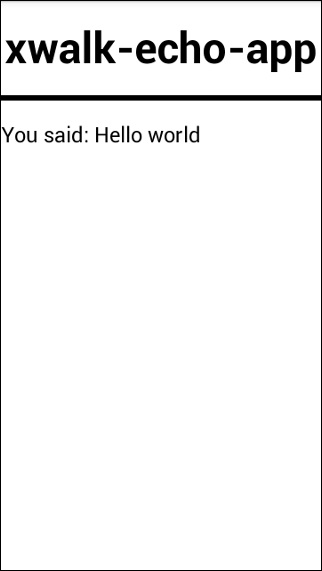
(The screenshot above shows the application running on an x86 ZTE Geek.)
The application should display the text "You said: Hello world", which demonstrates that the Java and JavaScript parts of the Crosswalk extension are communicating correctly.
