
 English

Using Crosswalk Lite
Building your application with Crosswalk Lite, or "Lite", is the same as the normal Crosswalk build. For details on setting up your development system, see the Getting Started page. The NPM-based crosswalk-app-tools is the packaging tool for creating Crosswalk applications. For details on the tool, refer to Usage of crosswalk-app-tools.
Build with Lite
To build your application with Lite, add the --android="lite" parameter to the packaging command:
$ crosswalk-pkg --android="lite" <your webapp path>crosswalk-pkg will download the Lite engine and create an APK of your application.
Download Crosswalk-Lite Manually
Alternatively, you can manually download the Lite engine from the build directory onto your local machine and then run:
$ crosswalk-pkg --android="lite" \
                --crosswalk=<downloads path>/crosswalk-17.46.455.1.zip \
                <your webapp path>
Additional build versions can be found in the build output directory
Lite can only be bundled with your application in the standard "embedded mode" where the Lite library is added to your APK. Shared mode is not supported.
Embedding Lite webview
Developers can embed the Lite webview in their Java-based Android projects just as they could with Crosswalk. For details on embedding, see Embedding the Crosswalk Project and Developing with Crosswalk AAR. One difference with Lite is onXWalkReady(), described below.
Starting with Lite v17, we added the maven server for Lite. We now have 2 separate maven URLs for Crosswalk and Crosswalk Lite. Make sure the maven URL in your project is for Crosswalk Lite instead of Crosswalk.
- Crosswalk: https://download.01.org/crosswalk/releases/crosswalk/android/maven2/
- Crosswalk Lite: https://download.01.org/crosswalk/releases/crosswalk-lite/android/maven2/
The latest Lite release build can be found in:
https://download.01.org/crosswalk/releases/crosswalk-lite/android/canary/latest/
New API: org.xwalk.core.XWalkActivity.onXWalkReady()
The onXwalkReady API was introduced to check whether the Crosswalk environment is available to use. The Crosswalk environment is not available under two scenarios:
- Shared mode: Need download from app store like Google Play
- Crosswalk-Lite:
libxwalkcore.sois compressed with LZMA and needs to be decompressed first.
The following changes are needed:
XWalkViewinitialization code moved fromonCreate()toonXWalkReady().Activityshould inherit fromorg.xwalk.core.XWalkActivityinstead ofandroid.app.Activity.- In
AndroidManifest.xml,android:nameshould change toorg.xwalk.core.XWalkApplication.
import org.xwalk.core.XWalkActivity;
import org.xwalk.core.XWalkResourceClient;
import org.xwalk.core.XWalkUIClient;
import org.xwalk.core.XWalkView;

public class MainActivity extends XWalkActivity {
    XWalkView mXWalkView;

    @Override
    protected void onCreate(Bundle savedInstanceState) {
        super.onCreate(savedInstanceState);
        setContentView(R.layout.activity_main);
        //Don't initXWalkView here!
    }

    public void initXWalkView() {
        mXWalkView = new XWalkView(this);
        RelativeLayout Ll = (RelativeLayout) findViewById(R.id.layout1);
        Ll.addView(mXWalkView);

        mXWalkView.setUIClient(new XWalkUIClient(mXWalkView));
        mXWalkView.setResourceClient(new XWalkResourceClient(mXWalkView));

        mXWalkView.load("http:///xxxx/test.html", null);
    }

    @Override
    protected void onXWalkReady() {
        //initXWalkView in onXWalkReady().
        initXWalkView();
    }
}
Running a Lite Application
The first time an application runs that has been built with Lite, libxwalkcore.so must be decompressed. The following dialog is displayed for a couple of seconds:
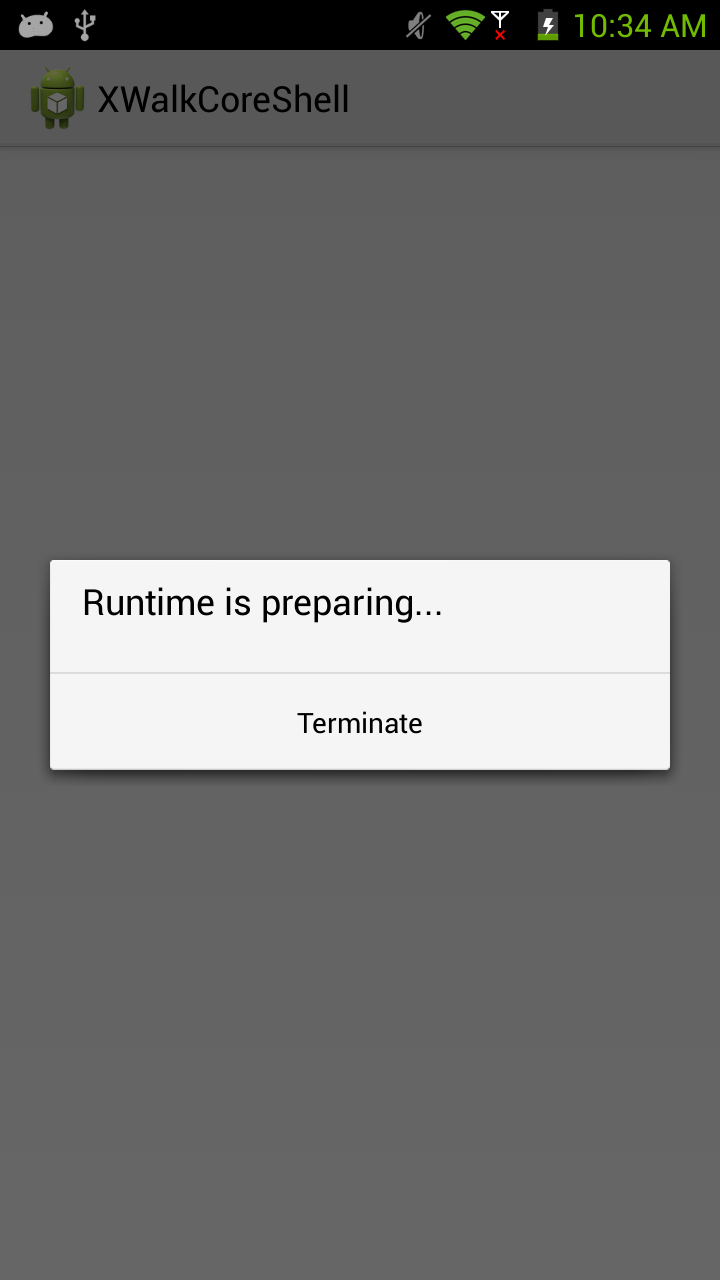 This is only displayed the first time.
